Stop wasting time formatting spreadsheets. Get early access to our Free Invoice Template and start getting paid faster. Join the waitlist to be notified immediately when the download becomes available.
The Easiest Excel Invoicing Template You’ll Ever Use
Looking to send an invoice right now? Use our downloadable, printable and fully customizable excel invoice template to manage your invoicing from any device, anytime. Send estimates immediately to secure new jobs.
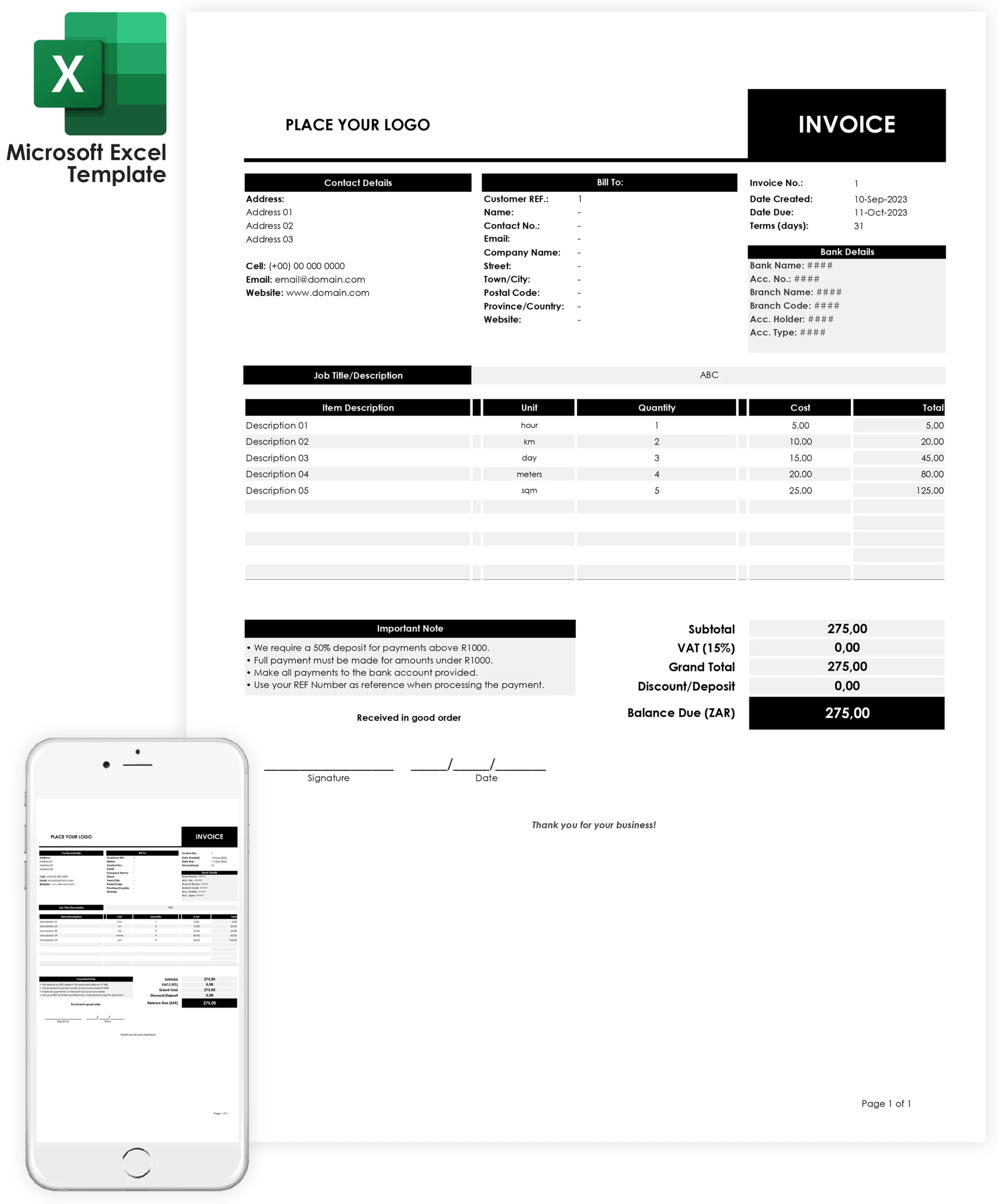
What you get? Invoice Template Features
Microsoft Copilot mobile is a new app that can help you be more productive on your mobile device. Get it for free for PC/Laptops, Android phones and for iPhone. Launch Excel from your Microsoft 365 suite.


Once the template opens, you can edit text fields like your company name, address, logo, and invoice details. This makes Excel an excellent tool for creating professional, easy-to-manage invoices, particularly for users looking for flexibility and cost savings.
Tired of doing math? Let the template do it for you! Our Auto Calculations feature takes care of everything—taxes, discounts, totals—so you don’t have to. It’s quick, easy, and eliminates costly errors, helping you bill your customers accurately every time.

Present your invoices like a pro! With our Multipage Print option, no matter how many items or services you’re invoicing, it all fits perfectly across multiple pages in the same document. This feature ensures that your clients receive clean, well-organized invoices every time.

Once you buy, it’s yours forever! With Lifetime Access, you’ll always have the tools you need, even if your business grows. No recurring costs, no subscriptions—just a one-time purchase for all the invoicing help you’ll ever need.
Simplify Your Invoicing Process with Easy-to-Use Excel Template
Managing your business finances doesn’t have to be complicated! With this Excel invoice template, you can effortlessly streamline your invoicing process—whether you’re offering services or products.
Who am I?
I’m Feb, graphic & web designer and content creator. Over the past 2 years I have gone from struggling freelancer charging R3000 for a website to booking projects starting at R15000+.
These are the exact systems and templates I use to streamline my workflow and manage my graphic and web design business. If you’ve ever purchased one of our design services, you may already be familiar with this invoice template.
Real Customer Reviews
I used to create invoices manually every time a client requested one. This template helped me send professional invoices in minutes. The automatic calculations save me a lot of time.
The setup was straightforward and I added my logo within a few minutes. My invoices now look much more professional and clients take my business more seriously.
FREQUENTLY ASKED QUESTIONS
Here are some of our most frequently answered graphic design questions and answers.
Who is this for?
Why You Need a Invoice Template
-
Save time — no reinventing the wheel each month
-
Look professional — clean, consistent branding
-
Get paid faster — clear terms, payment details, and totals
-
Stay organized — easy records for taxes and bookkeeping
-
Save money — free vs. paid software
Can I use Excel this invoice template for any currency?
Yes, you can use your own currency. Just replace the “ZAR” symbol in the Balance Due cell with your country’s currency symbol.
What features should I look for in a good Excel invoice template?
-
A professional layout with your company logo and contact information
-
Clearly labeled sections for client details, invoice number, date, and due date
-
An itemized list of products or services with descriptions, quantities, and prices
-
Automatic calculation of totals, taxes, and discounts
-
Space for payment terms
-
Data validation to prevent input errors
Copyright © 2022 – 2026 The Web Advertiser Creatives (Pty) Ltd.